Creating a personalized children's book used to mean hiring a freelance illustrator for anywhere from $2,000 to $10,000 per book and waiting weeks for results. This guide to AI-driven book illustration cuts through the hype and gives you the honest picture: what AI tools can actually do, where they fall short, and how to produce a visually consistent, print-ready children's book without spending a fortune. Whether you want to self-publish on Amazon KDP or create a one-of-a-kind gift for your child, the techniques here are practical, specific, and tested in real workflows.
Table of Contents
- Key Takeaways
- A guide to AI-driven book illustration: tools and technical basics
- Building consistent characters across every page
- Copyright, legal issues, and publishing requirements
- Troubleshooting the most common problems
- My honest take on AI illustration for children's books
- Your child can star in an original story, not a template
- FAQ
Key Takeaways
| Point | Details |
|---|---|
| AI tools save real money | Monthly subscriptions run $19–$39 versus thousands for a freelance illustrator. |
| Character consistency takes planning | Use reference parameters and a style bible before generating a single page. |
| Copyright is not automatic | Purely AI-generated images lack U.S. copyright protection without human creative input. |
| Print specs matter early | KDP requires 300 DPI and a 0.125-inch bleed or your files get rejected. |
| Hybrid workflows win | Combining AI speed with human editing produces the most emotionally coherent results. |
A guide to AI-driven book illustration: tools and technical basics
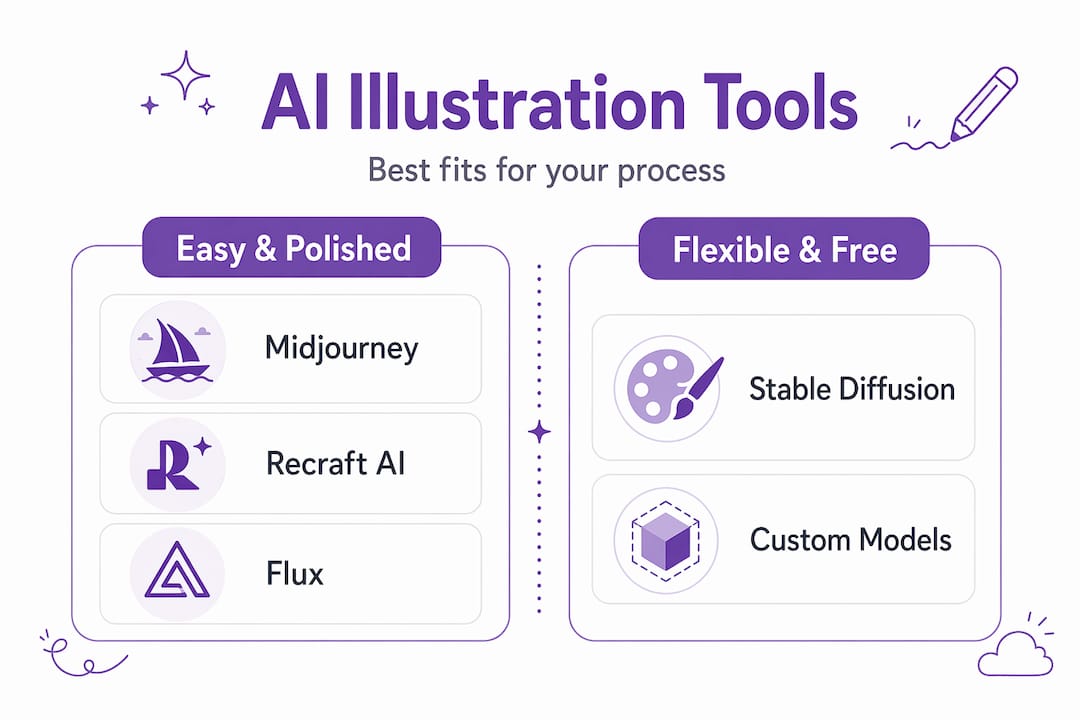
The first decision you make shapes everything that follows: which AI platform fits your workflow. The major players right now are Midjourney, Stable Diffusion, Recraft AI, and Flux. Each has a different strength.
Midjourney is the easiest to get consistent, polished results from. Its subscription starts around $10 per month for casual use, with the standard plan at $30 per month giving you faster generation and commercial usage rights. The platform runs through Discord, which feels awkward at first but becomes second nature quickly.
Stable Diffusion is free and open-source, which sounds appealing. The catch is that achieving professional-quality character consistency requires add-ons like ControlNet or LoRA training, which have a steeper learning curve. If you are willing to spend time on setup, training LoRAs on curated images across 10 to 20 reference photos achieves much higher character fidelity than simple prompt-based referencing alone.
Recraft AI and Flux sit between those two extremes. Both support vector-style outputs and have cleaner interfaces for non-technical users, making them worth considering for illustrators who want direct control over style without complex command syntax.
| Tool | Price | Best for | Consistency method |
|---|---|---|---|
| Midjourney | $10–$30/month | Polished, painterly styles | --cref and --cw parameters |
| Stable Diffusion | Free (compute costs) | Full control, custom styles | LoRA training, ControlNet |
| Recraft AI | Free tier + paid | Vector and clean illustration | Style presets |
| Flux | Free tier + paid | Photorealistic and stylized | Prompt-based references |
Before you generate a single image, lock in your print specs. KDP requires 300 DPI images with a 0.125-inch bleed on all sides for full-bleed spreads. Generating images at low resolution and upscaling them rarely produces clean results. Set your canvas size at output, not after the fact.
Pro Tip: Generate your first test image at full print resolution, then drop it into your layout software to verify it looks sharp before committing to an entire book's worth of images in the wrong size.
To understand how AI illustration works at a deeper level before diving into prompting, that linked overview breaks it down in plain terms.
Building consistent characters across every page
This is where most first-time AI book creators hit a wall. AI models do not have memory between generations. You can generate a beautiful character on page one and get a noticeably different-looking child on page three. Fixing this requires a deliberate process, not luck.
Here is the step-by-step workflow that actually holds up across a full 13-page book:
-
Create your anchor image first. Generate one clear, neutral-pose, well-lit character image. Front-facing, no dramatic shadow, plain background. This becomes your reference for every other image in the book.
-
Build a character sheet before generating story scenes. Generate your anchor character in front view, three-quarter view, and side view. Blending these as references extends your consistency window to 8 to 10 images before drift becomes visible.
-
Use --cref (character reference) in Midjourney. Paste the URL of your anchor image after the --cref parameter. Set --cw 100 to maintain face, hair, and clothing. If you only need the face to stay consistent and want outfit flexibility, set --cw 0. Character weight at 100 locks all visible features, while values closer to 0 only preserve the face.
-
Write your style bible before you prompt scenes. A style bible is a simple document (even a Google Doc works) that captures your art style description, color palette, character notes, and forbidden elements. Style bibles prevent visual inconsistencies across pages that would otherwise make the book feel disjointed.
-
Storyboard first, generate second. Sketch or list every scene before you touch an AI tool. Know which emotion each spread needs to convey. When you prompt with a clear scene description tied to your character reference, you get far more usable outputs per session.
-
Run a color-grading pass at the end. Even with careful referencing, AI images from different sessions can feel slightly off in tone. Manual color-grading during post-processing unifies the visual storytelling and makes the book feel cohesive rather than assembled.
-
Compile and check before export. Lay out all pages in sequence in Canva, Adobe InDesign, or Affinity Publisher. Read through as a story, not just as individual images. Gaps in narrative logic become visible here that you cannot catch image by image.
Pro Tip: Limit yourself to three or four core colors in your style bible palette. AI tools respect color constraints better than style constraints, and a tight palette makes pages look intentional rather than randomly generated.
Copyright, legal issues, and publishing requirements
This section matters more than most guides admit. A lot of creators assume that if an AI platform grants "commercial usage rights," they own the copyright to what they create. Those are two different things.
Commercial usage rights mean the platform allows you to sell products made with their tool. Copyright protection is a legal status that gives you exclusive control over the work. The U.S. Copyright Office has made its position clear: purely AI-generated images lack copyright protection without meaningful human creative input added to the work.
What counts as human creative input? Editing the image substantially in Photoshop, adding hand-drawn elements, compositing AI images into original layouts with your own creative choices, writing original captions or stories. The more creative decisions you make that shape the final output, the stronger your claim.
Here are the key legal points to keep in mind before you publish:
- Amazon KDP disclosure: KDP requires authors to disclose AI-generated content during the submission process. Skipping this step is not a gray area. They can remove your title and close your account.
- Commercial rights vary by platform: Midjourney's paid tiers include commercial rights. Stable Diffusion outputs are generally yours to use commercially. Always read the current terms. Platforms update their policies.
- Copyright registration: If you have added substantial human creative work to your book, you can register the compilation with the U.S. Copyright Office. The AI-generated portions themselves will not be covered, but your original text, layout decisions, and edited elements can be.
- Model training on your images: Be aware that some platforms may use your uploaded images to train future models. Check privacy settings and opt out where available, especially if you are uploading photos of children.
The safest path is to treat AI-generated images as raw material, not finished art. Every human decision you make in editing, sequencing, and storytelling adds both quality and legal standing to your work.
For a broader look at AI content and child safety in publishing, that post covers additional considerations worth reviewing before you submit anywhere.
Troubleshooting the most common problems
Even experienced users run into predictable frustrations. Here is what causes them and how to handle each one.
Character drift is the most common issue. It happens when you generate too many images in sequence from one reference, or when prompt descriptions change enough to pull the model away from your anchor. Minimize it by returning to your original character sheet image as the reference for each new scene rather than daisy-chaining from recent outputs. The consistency window typically runs 3 to 5 shots before drift sets in with standard referencing, and up to 8 to 10 with multi-angle character sheets.
Resolution problems get caught too late. Generate at the correct resolution from the start. Many AI tools default to 1024x1024 pixels, which at 300 DPI gives you roughly 3.4 inches square. That is not enough for a standard children's book spread. Use the upscaling features built into your tool or a dedicated upscaler like Magnific AI before finalizing files.
Hands and faces are notorious weak spots for AI image generators. Always zoom in before approving any image for your book. Six-fingered hands and odd facial expressions are easy to miss in a thumbnail. Budget time for manual fixes in Photoshop or GIMP for the images that matter most.
Narrative coherence is a subtler problem. AI-generated illustrations lack any understanding of story, so the emotional arc of a book is entirely your responsibility. A child looking joyful on page five and frightened on page six needs a narrative reason, not just a different prompt. Human review of every image in story sequence catches these breaks.
Pro Tip: Print a single test spread at home before ordering a full print run. Colors shift between screen and print. What looks vibrant on your monitor can appear muddy on paper if you have not converted your files to CMYK.
When you hit the limits of prompt-based methods, hybrid approaches combining AI with human illustrators offer the best of both worlds: AI handles rapid scene exploration and rough layouts while a human artist handles faces, key emotional moments, and cover art.
My honest take on AI illustration for children's books
I've spent a lot of time reviewing how people use AI to create children's books, and the pattern I keep seeing is this: the creators who get the best results are the ones who treat AI as a production assistant, not a replacement for creative thinking.
The biggest mistake is jumping straight into generating story scenes without doing any preparation. I've seen books where every page is technically competent but the whole thing feels hollow because no one thought through the emotional beats before prompting. The AI does not care if your character looks bored during the most exciting moment in the story. You have to catch that.
What I find genuinely useful about AI is what it does for iteration. You can test three completely different art styles in an afternoon, see which one fits the story's tone, and commit. That kind of exploration used to cost real money and real time.
My honest advice is to spend 80% of your prep time on your style bible, character sheet, and storyboard. The actual generation is the fast part. The planning is what separates books that feel intentional from books that feel assembled. And if your book features a real child, that child deserves the extra effort. A kid seeing themselves illustrated in a story they star in is a genuinely moving thing. Getting the character close enough to actually look like them matters more than any technical shortcut.
— Jason
Your child can star in an original story, not a template
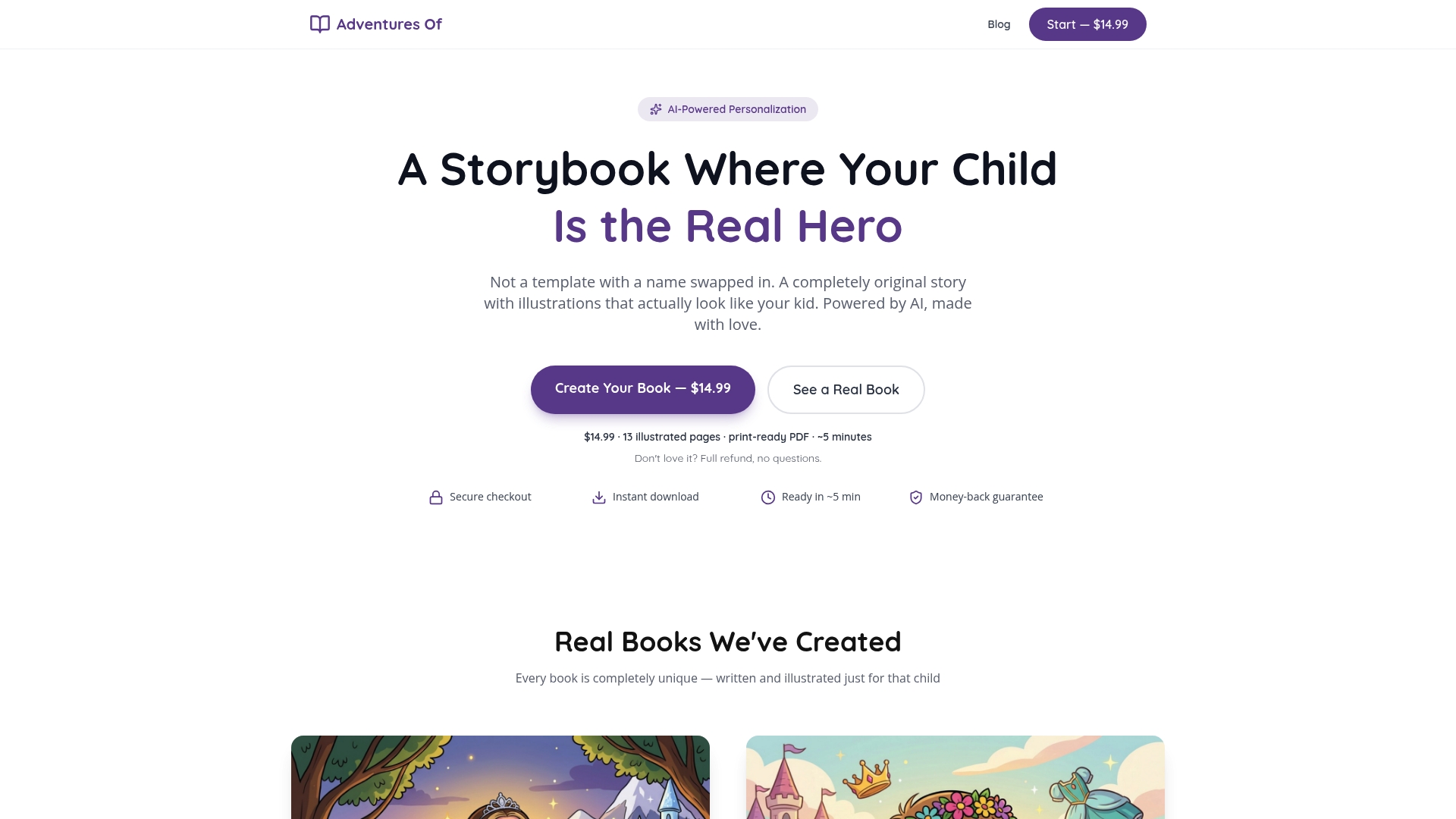
At Adventuresofbook, the approach is a bit different from what this guide covers for self-publishers. Rather than handing you AI tools to manage yourself, Adventuresofbook generates an original story and illustrations based on your child's actual uploaded photos. There are no swapped-in names or recycled characters. Every book is built from scratch around one child's real face and details, in about five minutes, for $14.99. The output is a print-ready 8.5x8.5 PDF across 13 illustrated pages, backed by a 7-day money-back guarantee. If you want to see what a personalized book like this actually looks like, the options are there to explore. Or go straight to adventuresofbook.com to create one now.
FAQ
What AI tools work best for children's book illustration?
Midjourney is the most accessible starting point for polished, consistent results, with plans from $10 to $30 per month. Stable Diffusion gives more control but requires technical setup like LoRA training or ControlNet to achieve professional character consistency.
How do I keep my character looking the same across every page?
Generate a multi-angle character sheet first, then use that as a reference image in every subsequent prompt. In Midjourney, the --cref parameter with --cw set to 100 locks face, hair, and clothing across generations.
Can I copyright AI-generated illustrations in my children's book?
Not automatically. The U.S. Copyright Office does not protect purely AI-generated images. Adding substantial human creative input through editing, layout decisions, or original text strengthens your copyright claim over the final work.
Does Amazon KDP accept AI-illustrated children's books?
Yes, but you must disclose AI-generated content during submission. KDP also requires images to be at least 300 DPI with a 0.125-inch bleed on full-bleed pages. Missing either requirement leads to file rejection.
What is a style bible and do I really need one?
A style bible is a short document listing your art style, color palette, character descriptions, and visual rules for your book. Experts consistently recommend creating one before generating any scenes because it prevents the visual drift that makes AI-illustrated books look inconsistent.