
Digital gifts are worth giving to kids when they are high-quality, matched to the child's age, and used with an adult present. The American Academy of Pediatrics recommends limiting daily screen time for ages 2–5 and emphasizes co-viewing as the standard, not the exception. The FTC's COPPA rules give parents control over what data any digital service collects from children under 13. And options like Adventuresofbook show that a digital gift can produce something tangible, such as a print-ready storybook, rather than just screen time.
The short version: skip passive, unlimited-access gifts. Prefer ones that encourage repeat play, parent-child interaction, or a physical output you can hold.
Table of Contents
- Why parents choose digital gifts for kids
- What are the real risks, and what does the AAP say?
- What should you check for privacy and data safety?
- What types of digital gifts actually work for kids?
- How do you pick a high-quality digital gift?
- How do you make a digital gift feel special?
- Which digital gifts fit which age group?
- Key Takeaways
- A parent-to-parent note on digital gifts
- One option worth considering: Adventuresofbook
- Useful sources and where to read more
- FAQ
Why parents choose digital gifts for kids
The appeal is real and practical. Digital gifts save time and arrive instantly, which matters when a birthday sneaks up or you're shipping across the country. But convenience alone doesn't make a gift good for a child.
Here's what actually makes digital gifts worth it:
- Personalization drives engagement. A story or app built around your child's name, face, and interests holds attention longer than a generic one. Kids revisit content that feels made for them.
- Instant delivery works for last-minute gifting. E-gift cards, downloadable books, and subscription codes reach the recipient in seconds, no shipping required.
- Repeat use reinforces skills. A well-designed app or storybook can be revisited dozens of times, each session building vocabulary, creativity, or problem-solving.
- Creative gifts produce something. Drawing apps, story-makers, and music tools let kids make things rather than just consume content.
- Cost range is wide. E-gift cards start under $10. Educational subscriptions typically run $5–$15 per month. One-time digital books like Adventuresofbook cost $14.99 flat.
What are the real risks, and what does the AAP say?
The risks are specific, not vague. Engagement-based design, autoplay, endless scroll, and recommendation loops, can crowd out sleep, reading, and family time. The AAP warns that on-demand access throughout the day links to worse sleep and less willingness to do other positive activities.
"For children ages 2 to 5, limit screen use to no more than 1 hour per day of high-quality programming. Co-view with your children, help them understand what they are seeing, and apply it to the world around them." — American Academy of Pediatrics, Media and Young Minds
Practical rules to enforce from day one:
- No screens in the hour before bed, and no devices in bedrooms overnight.
- Co-view whenever possible, especially for ages 2–5.
- Avoid gifts that default to autoplay or unlimited on-demand access.
- Prefer stationary, shared-screen experiences over solo handheld use for toddlers.
Pro Tip: When you give a digital gift, schedule a "first-use" session with your child rather than handing over a device and walking away. That first shared experience sets the pattern for how the gift gets used.
What should you check for privacy and data safety?
COPPA requires operators of child-directed sites and apps to obtain verifiable parental consent before collecting personal information from children under 13. In practice, that means you should be able to create a parent-managed account, limit what data is collected, and delete your child's information if you choose.
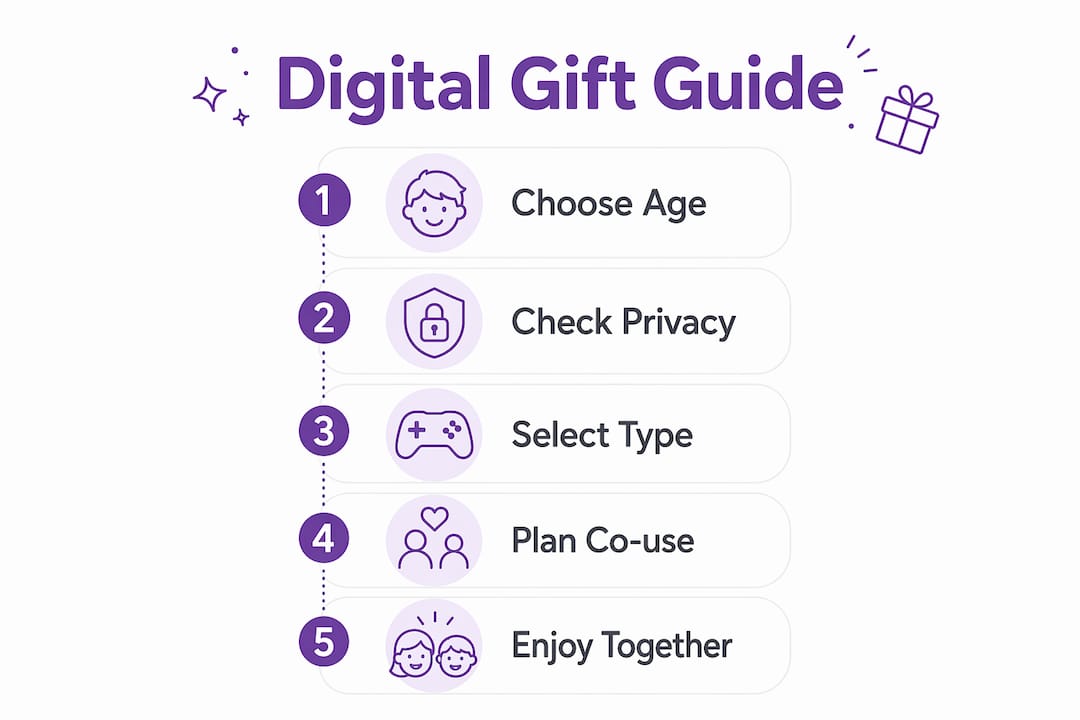
Before you buy any digital gift, run through this checklist:
- Does the service clearly state it's COPPA-compliant or designed for children under 13?
- Can you create a parent-controlled account without giving the child a separate profile?
- Is there a clear data deletion option?
- Are there parental controls for time limits and content filtering?
- Does the privacy policy use plain language, or is it buried in legal jargon?
Red flags to walk away from: unexpected social features, in-app purchases without a parental gate, requests for a child's full name or photo without explaining why, and vague privacy policies that don't mention children specifically. AI-generated content tools that use uploaded photos deserve extra scrutiny. Understanding how AI imagery handles child data is worth reading before you upload anything.
What types of digital gifts actually work for kids?
Most digital gifts fall into a handful of categories. Here's how they compare:
| Category | What it builds | Typical cost | Co-use friendly? |
|---|---|---|---|
| E-gift cards (closed-loop) | Flexibility, child's choice | $10–$50 | Varies |
| Educational app subscriptions | Literacy, math, problem-solving | $5–$15/month | Yes |
| Online classes (art, music, coding) | Creative skills, focus | $15–$40/session | Yes |
| Creative tools (drawing, music apps) | Self-expression, fine motor | Free–$10 one-time | Yes |
| Personalized digital storybooks | Literacy, confidence, imagination | $10–$20 one-time | Yes |
A note on e-gift cards: Under U.S. federal rules, gift cards cannot expire before a lengthy minimum period after issuance, and dormancy fees require a substantial period of inactivity plus clear disclosure. Closed-loop cards (store-specific) are less likely to carry fees than open-loop network-branded cards.
Featured example: Adventuresofbook. Upload a photo of your child, add their name and a few details, and the AI generates an original 13-page illustrated story where your child is the main character. The result is an 8.5x8.5 print-ready PDF you can download in about 5 minutes. Cost: $14.99 one-time, with a 7-day refund policy. One book covers one child. It's not a template with a name swapped in. The illustrations are built from the actual photo, which is what separates it from services like Wonderbly or Hooray Heroes, where the character is a generic stand-in. The printable format also means the gift lives beyond screen time, which aligns directly with AAP guidance favoring content that supports family routines rather than replacing them.
Most commercially available apps labeled "educational" lack rigorous evidence and may include ads or purchase prompts. The AAP recommends checking Common Sense Media reviews and playing alongside your child before committing to a subscription. For bookish kids, a personalized storybook often outperforms an app because it has a clear endpoint and invites reading aloud together.
How do you pick a high-quality digital gift?
Work through this before you buy:
- Check age-appropriateness. Does the product list an age range? Does it match your child's developmental stage, not just their birthday?
- Look for independent reviews. Common Sense Media, PBS Kids endorsements, and librarian recommendations carry more weight than app-store star ratings.
- Verify privacy and parental controls. Can you set time limits? Is there a parent dashboard? Can you delete the account?
- Understand the cost model. One-time purchase vs. subscription matters. Know what you're committing to before the first charge.
- Confirm the delivery method. Will it arrive as a code, a download, or a link? Can you wrap it or present it in a way that feels like a gift?
- Check the refund policy. A 7-day window is reasonable. No refund at all is a red flag.
Red flags: autoplay on by default, social features without parental gating, required account creation that collects a child's personal data, and unclear cancellation terms for subscriptions.
Quick decision guide: If you want a shared parent-child experience, choose a printable or persistent gift (storybook, art tool, class). If you need repeat skill practice, choose a subscription with clear privacy controls and a parent dashboard.

How do you make a digital gift feel special?
A download link in an email doesn't feel like a present. A few small moves change that:
- Print a gift certificate with the child's name and a short note explaining what they're getting.
- Record a short video message from the gift-giver, especially useful for grandparents or relatives who are far away.
- Pair the digital gift with something physical: a bookmark for a digital storybook, a sketchbook for a drawing app, or a small toy that connects to the story.
- For Christmas gifts or birthdays, print one illustrated page from a personalized storybook and wrap it so the child has something to open.
- Write a short gift note. Something like: "This book is all about you. Ask a grown-up to read it with you tonight."
Pro Tip: What makes digital gifts memorable is often the moment of first use, not the gift itself. Block out 20 minutes the day the gift arrives and experience it together. That shared memory is what the child will actually remember.
Which digital gifts fit which age group?
| Age | Recommended gift types | Session length | Co-use looks like |
|---|---|---|---|
| 0–2 | Video calls with family only; no apps | Under 10 min | Parent holds device, narrates |
| 2–4 | Personalized storybooks, simple creative apps, educational shows | Short daily period | Parent reads aloud, pauses to discuss |
| 5–7 | Drawing tools, coding kits, online classes, storybooks | 30–60 min | Parent nearby, reviews output together |
For ages 2–5, the AAP recommends limiting screen time to 1 hour per day of high-quality content, advises keeping devices out of bedrooms, and turning off autoplay. For toddlers, a stationary shared screen (tablet propped on a table, both of you sitting together) is safer than a handheld device the child controls alone. For ages 5–7, the gift should produce something: a drawing, a recorded story, a printed book page. That output gives you a natural stopping point and something to celebrate together.
Key Takeaways
Digital gifts work best when they are age-appropriate, privacy-safe, and used with an adult present rather than handed over for solo, unlimited access.
| Point | Details |
|---|---|
| Co-viewing is non-optional for ages 2–5 | The AAP recommends limiting screen time to 1 hour per day of high-quality programming for ages 2–5, with co-viewing as essential, and excluding screens from bedrooms before bed. |
| Check COPPA compliance before buying | Any child-directed digital product must offer verifiable parental consent and a clear data deletion option under FTC rules. |
| Prefer gifts that produce something | Printable storybooks, art tools, and recorded stories extend the gift beyond screen time and give you a natural stopping point. |
| E-gift cards have federal protections | U.S. rules prohibit expiration before five years and restrict inactivity fees, but read the terms on open-loop cards. |
| Adventuresofbook fits the criteria | At $14.99 one-time with a 7-day refund, it generates an original illustrated storybook from your child's photo, printable and co-viewable. |
A parent-to-parent note on digital gifts
The question I hear most often is whether a digital gift is "as real" as a physical one. My honest answer: it depends entirely on what the gift asks the child to do. A passive video subscription and a personalized storybook are both digital, but they're not the same kind of gift. One runs on autopilot. The other requires someone to sit down and read it together.
When I evaluate a digital gift, I ask three things: Does it produce something? Can I use it with my child? Does it respect our household rules around screens and bedtime? If the answer to all three is yes, it's a good gift regardless of whether it comes in a box.
Adventuresofbook fits those criteria for one child at a time. It's not the right pick if you need a gift for siblings or a classroom. But for a single child who loves stories and seeing themselves as the hero, it's one of the few digital gifts that ends with something you can print, frame, or read at bedtime without a screen in the room.
One option worth considering: Adventuresofbook
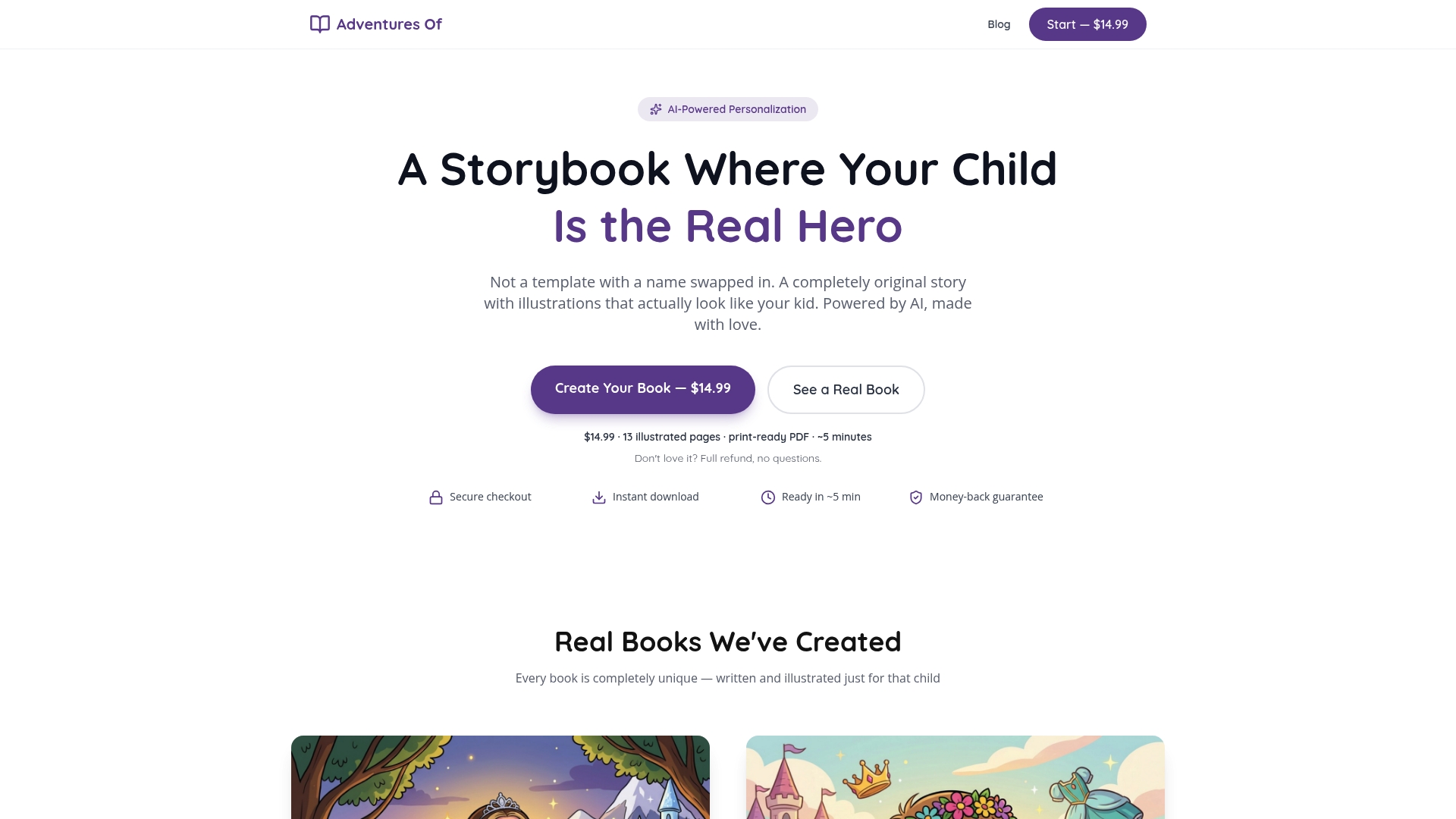
Most digital gifts for kids ask you to manage a subscription, monitor an app, or set up an account. Adventuresofbook skips all of that. Upload a photo of your child, add their name and a few details, and you get a 13-page original illustrated storybook as a print-ready 8.5x8.5 PDF in about 5 minutes. The story and illustrations are generated from the actual photo, not a template character. Cost is $14.99 one-time, with a 7-day refund if it's not what you expected.
The honest trade-off: one book covers one child, and it's a one-time purchase rather than an ongoing resource. But for parents who want a personalized children's book that doubles as a printable keepsake and a co-reading experience, it checks the boxes the AAP guidance points toward.
Create your child's storybook at Adventuresofbook and read it together the first time.
Useful sources and where to read more
- Media and Young Minds (AAP) — The primary policy statement on screen time for children under 5, including the 1-hour daily limit and co-viewing guidance.
- Preferred Method of Screen Time (AAP) — Practical Q&A on how toddlers learn from media and why on-demand access is discouraged.
- Helping Kids Thrive in a Digital World (HealthyChildren.org) — Plain-language explanation of AAP policy; useful for understanding quality-over-quantity framing.
- Complying with COPPA: FAQ (FTC) — The definitive guide to what parental consent and data protections are legally required for child-directed digital products.
- Gift Cards Final Rule (Federal Register) — U.S. consumer protections covering expiration dates and inactivity fees on gift cards.
This article is general information for parents, not legal or medical advice. For your child's specific situation, consult your pediatrician and review the primary sources above.
FAQ
Are digital gifts good for young children?
Yes, when they are age-appropriate, high-quality, and used with an adult present. The AAP recommends co-viewing and limiting screen time to 1 hour per day for ages 2–5.
What does COPPA require for kids' digital gifts?
Any child-directed digital service must obtain verifiable parental consent before collecting personal information from children under 13, per FTC rules.
Can e-gift cards expire quickly?
Under U.S. federal rules, gift cards generally cannot expire before five years after issuance, and inactivity fees require at least 12 months of non-use plus clear disclosure.
What makes Adventuresofbook different from other personalized books?
Adventuresofbook generates an original story and illustrations from your child's actual photo rather than using a template character, producing a print-ready PDF for $14.99 with a 7-day refund.
How do I make a digital gift feel like a real present?
Print a gift certificate, pair it with a small physical item, and schedule a first-use session together. The shared experience is what makes it memorable, not the wrapping.
Recommended
- The Best Gifts for 4-Year-Olds (That Don't End Up in a Donation Pile) | Adventures Of
- A Gift Guide for Bookish Kids (That Isn't Just More Books) | Adventures Of
- Grandparent Gifts That Actually Land (From Someone Who's Tested Them) | Adventures Of
- Christmas Gifts for Kids — Personalized Storybook Under the Tree | Adventures Of