
The fastest way to send a personalized family book remotely is to create the book online, choose between an instant digital download or a printed copy shipped to the recipient, and complete checkout in a single session. For a one-child, photo-driven story, Adventuresofbook generates an original AI-authored book in about five minutes, delivers an 8.5x8.5 print-ready PDF instantly, and backs every order with a 7-day refund.
The short version: create a profile, upload one clear photo, pick your format, add a gift message, pay, and confirm delivery. The whole process takes one sitting, and the digital version arrives the moment you check out.
Quick checklist:
- Choose the child and enter their name, age, and a short dedication
- Upload one good face photo (clear, well-lit, front-facing works best)
- Select story theme and occasion (birthday, holiday, adoption, etc.)
- Preview the story and illustrations before paying
- Choose PDF for instant delivery or printed book for a keepsake shipment
- Add the recipient's email (digital) or mailing address (print)
- Schedule delivery or send immediately
- Save your order confirmation and track the shipment if printing
Table of Contents
- How to send a personalized book remotely, step by step
- What you can actually personalize in a family-themed book
- Digital delivery vs. printed shipping: what to expect
- What does a personalized book cost, and what is the refund policy?
- How providers handle your photos and personal details
- How to send a book as a gift, anonymously, or on a schedule
- Why Adventuresofbook fits one-child remote family gifts
- Key Takeaways
- What actually makes a remote book gift feel personal
- Adventuresofbook is built for exactly this kind of gift
- Useful sources
- FAQ
How to send a personalized book remotely, step by step
The process is shorter than most people expect. Here is the full sequence from start to delivery confirmation.
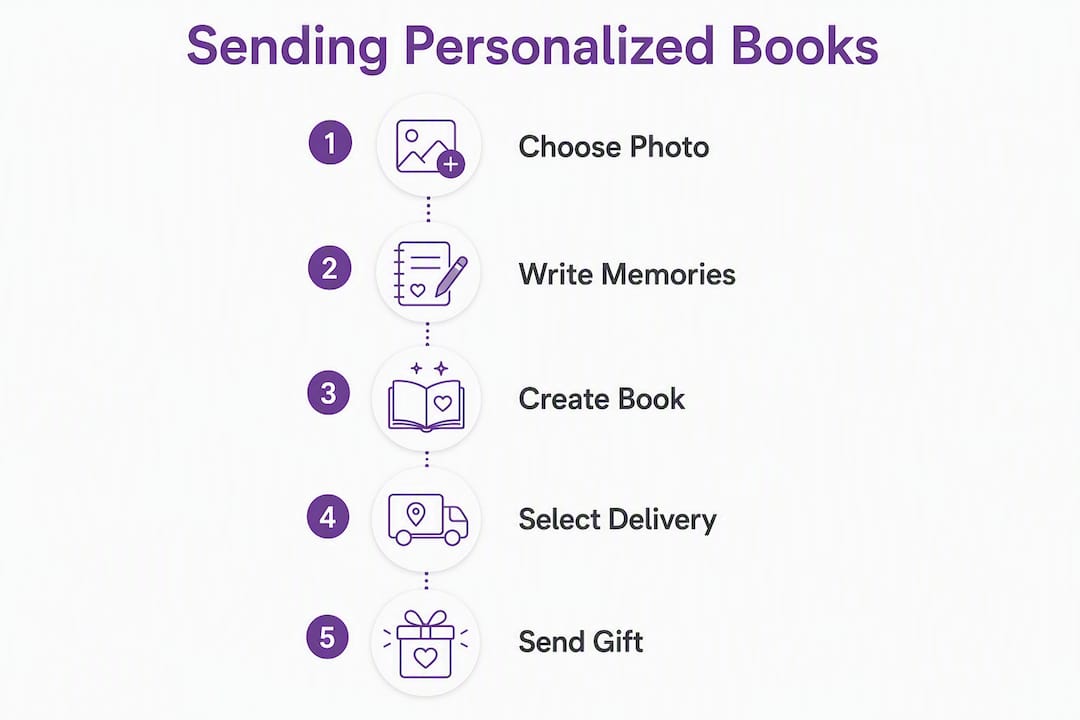
- Choose your child and enter their details. Name, age, pronouns, and a short dedication. Keep the dedication to two or three sentences so it fits cleanly on the page.
- Upload one photo. Adventuresofbook uses that photo to generate illustrations that actually look like your child, not a generic cartoon. One clear, front-facing photo is all you need. Note: each book covers one child only.
- Pick a story theme and occasion. Birthday, first adventure, holiday, and adoption are common options. The theme shapes both the plot and the cover.
- Preview and edit. Most services show a proof before you pay. Check the name spelling, the dedication text, and the illustration style at this stage.
- Choose your format. PDF for instant delivery, softcover or hardcover for a physical keepsake.
- Enter delivery details. For digital, you need the recipient's email address. For print, you need a mailing address. If you are not sure of the address, use a gift-link service that lets the recipient enter their own details.
- Schedule or send immediately. Most platforms let you set a future delivery date for birthdays or holidays.
- Pay and save your confirmation. Screenshot or email the order number so you can track it.
Pro Tip: Before you open the creation tool, prepare one good face photo and write down two or three specific memories or traits you want in the dedication. Having those ready cuts the creation time to under ten minutes.
What you can actually personalize in a family-themed book
Personalization varies more than the marketing suggests. Here is what typically changes the book and what does not.
Fields that affect the story text:
- Child's name and age (woven into the narrative and chapter headings)
- Pronouns (he/she/they)
- Favorite animal, hobby, or interest (shapes the plot and supporting characters)
- Occasion (birthday, holiday, adoption, first day of school)
- Short dedication or personal message (appears on a dedicated page)
Fields that affect the illustrations:
- Uploaded photo: with AI-driven services like Adventuresofbook, the photo is used to generate illustrations that resemble your child. This is different from a template book where a generic character gets a name swap. The difference between template and original is meaningful: template books are reliable and polished, but the character does not look like your kid. AI-original books are riskier in execution but deliver a genuinely one-of-one result.
Limitations to know before you start:
- One child per book. Adventuresofbook builds the story and illustrations around a single child, which keeps the narrative focused and the illustration pipeline clean.
- The illustration is a likeness, not a photographic portrait. Expect a stylized, illustrated version of your child's features, not a photo-realistic rendering.
- Dedications are editable at the proof stage on most platforms, but illustration regeneration may cost extra or require a new order.
- Preview carefully. What you see at proof is close to the final product, but colors and line weights can shift slightly in print.
Digital delivery vs. printed shipping: what to expect
Choosing between a digital PDF and a printed book mostly comes down to timing and how the gift will be used.

Digital delivery is instant. After checkout, the print-ready PDF is available for download. You can email it, share a download link, or send it as a gift link the recipient redeems themselves. The 8.5x8.5 format is sized for standard home printing or a local print shop. If a printed copy is delayed or an address is uncertain, having the PDF is a useful backup.
Printed books take longer. Production typically runs same-day to a few business days depending on the provider and order volume. Domestic US shipping adds more time on top of that.
| Format | Typical production | US standard shipping | US express shipping | Best use case |
|---|---|---|---|---|
| PDF download | Instant | N/A | N/A | Last-minute gifts, remote families |
| Softcover printed | 1–3 business days | 3–7 business days | 1–2 business days | Everyday keepsake, grandparents |
| Hardcover printed | 2–5 business days | 3–7 business days | 1–2 business days | Milestone gift, long-term keepsake |
For international orders, add customs clearance time and check whether the provider uses a local print partner in the destination country. Specialized book shipping services offer tracking and customs documentation for international routes, which is worth checking if you are sending to family overseas.
Once the book arrives, some families use read-aloud apps to share a remote reading session over video call, which works especially well when grandparents and grandchildren are in different time zones.
What does a personalized book cost, and what is the refund policy?
Digital-only books are the most affordable option. Printed editions add production and shipping costs on top of the base price.
Adventuresofbook charges $14.99 one-time for the AI-generated 13-page digital PDF. No subscription, no hidden fees. That covers the story generation, illustrations, and the print-ready file.
Price snapshot: $14.99 gets you a 13-page, 8.5x8.5 AI-original story with illustrations drawn from your child's photo, available for immediate download. That is the full digital price, no add-ons required.
Printed editions from various providers typically add production and shipping costs to the base price; the total for a printed keepsake usually starts at about $25 before taxes.
Common extras to watch for at checkout:
- Gift wrapping or a gift box (usually $3–$8)
- Express or overnight shipping
- Expedited production fees during peak seasons (holidays, Valentine's Day)
- International shipping surcharges
On refunds: Adventuresofbook offers a 7-day refund window. When evaluating any provider, look for a clear refund policy that covers digital files, not just printed copies. Some services only refund if the printed book arrives damaged, which leaves you with no recourse on a digital product you are unhappy with.
How providers handle your photos and personal details
Uploading a child's photo to a third-party service is the step that deserves the most attention. Here is what to check before you submit anything.
Privacy checklist before uploading:
- Confirm the site uses HTTPS (look for the padlock in your browser bar)
- Read the photo usage policy: the photo should be used only for illustration generation, not stored indefinitely or shared with advertising partners
- Check whether the service offers a deletion request option after the book is generated
- Look for a clear privacy policy that names any third-party print partners who will receive your order data
Practical steps to reduce exposure:
- Use a recent but non-sensitive photo (a smiling face shot, not a photo with location data or identifiable background details)
- Remove personal information from the file name before uploading (rename "IMG_school_2024.jpg" to something neutral)
- Create a guest account for a one-off gift purchase rather than a full profile if you prefer not to store data
- Prefer a provider with a named data-deletion process
Pro Tip: If privacy is a priority, choose the instant downloadable PDF over a printed edition. The PDF workflow typically involves fewer third-party print partners, which means fewer places your child's photo and address data are stored.
How to send a book as a gift, anonymously, or on a schedule
Most personalized book platforms offer more gifting flexibility than the standard checkout flow suggests.
Options available on most platforms:
- Email gift link: the sender pays, and the recipient gets a link to redeem the book and choose their preferred format (digital or print). This is the cleanest option when you are not sure of a mailing address.
- Scheduled delivery: set a future date for the email or shipment to go out, useful for birthdays and holidays when you want to order early but deliver on the day.
- Anonymous sending: some platforms let you omit your name from the shipping label or gift message, so the book arrives as a surprise without identifying the sender.
- Gift message or dedication page: a short personal note printed inside the book or included in the email delivery.
Pay-if-accepted workflows (like those offered by Bybird) take this further. You share a gift link with the recipient, they choose whether to accept and enter their own delivery details, and you are only charged if they accept. This is useful when you want to send a surprise but do not have the recipient's current address, or when you want to give them the choice of digital vs. printed.
Best practices for remote gifting:
- Use a scheduled email delivery for a birthday so the book arrives at the right moment even if you are in a different time zone
- Use a gift link for uncertain addresses or when the recipient is moving
- Include a short, specific dedication rather than a generic message. "The summer you learned to swim" lands differently than "To my wonderful grandchild."
Why Adventuresofbook fits one-child remote family gifts
For a one-child, photo-driven story sent remotely, Adventuresofbook covers the specific requirements that matter most: original story, real likeness, instant delivery, and a clear refund policy.
Product facts:
- $14.99 one-time digital price
- 13 illustrated pages
- 8.5x8.5 print-ready PDF
- AI story and illustrations generated from uploaded child photos
- About five minutes from start to download
- 7-day refund window
Trust signals worth noting:
- The money-back guarantee covers the digital product, not just a damaged print
- Photos are used for illustration generation only, with privacy-focused handling
- The print-ready file is available for immediate download, so there is no wait even if you later decide to print locally
On originality: most personalized book services use a fixed template with a name and a few traits swapped in. Adventuresofbook generates the story and illustrations from scratch using your child's photo and details. The result is a book that could not have been made for any other child.
Pro Tip: Adventuresofbook is the right fit when you need one child featured, you have a clear face photo, and you want the book delivered instantly. If you need multiple children in one story, or a hardcover shipped directly to a grandparent's door without a separate print step, check whether a print-on-demand provider better matches that specific need.
Key Takeaways
Sending a personalized family book remotely takes one session: create the book, choose PDF for instant delivery or print for a keepsake, and confirm delivery before you close the tab.
| Point | Details |
|---|---|
| Digital is fastest | An instant PDF download is available immediately after checkout, with no shipping wait. |
| One child per book | Adventuresofbook builds each story around a single child; plan one order per recipient. |
| Price clarity | Adventuresofbook's digital book costs $14.99 one-time, with a 7-day refund window. |
| Privacy first | Check the photo usage policy and prefer services with a clear data-deletion option. |
| Adventuresofbook | A strong fit for one-child, photo-led remote gifts: original AI story, instant PDF, $14.99. |
What actually makes a remote book gift feel personal
The most common mistake with personalized books is treating the personalization fields as a form to fill out rather than a chance to say something specific. A name and a birthday date are the minimum. What makes a child actually light up is recognizing themselves in the story, and that comes from the details you add: the specific hobby, the pet's name, the thing they said last summer.

Photo quality matters more than most guides admit. A blurry or backlit photo produces weaker illustrations regardless of the AI behind it. A clear, well-lit, front-facing photo taken in natural light gives the system the most to work with. It is worth taking a fresh photo rather than digging through old files.
On timing: if you are sending a printed book, order at least two weeks before the occasion during peak seasons. For a birthday in December, that window shrinks fast. The PDF option removes that pressure entirely, and you can always print a local copy as a backup while the physical book is in transit.
One last thing: follow up. A book sent remotely without a shared reading moment is a missed opportunity. Schedule a video call for when the book arrives, read it together over the screen, and let the child show you their favorite page. That follow-through is what turns a gift into a memory.
Adventuresofbook is built for exactly this kind of gift
If you have read this far, you already know what you need: a book that looks like your child, delivered fast, at a price that does not require a second thought.
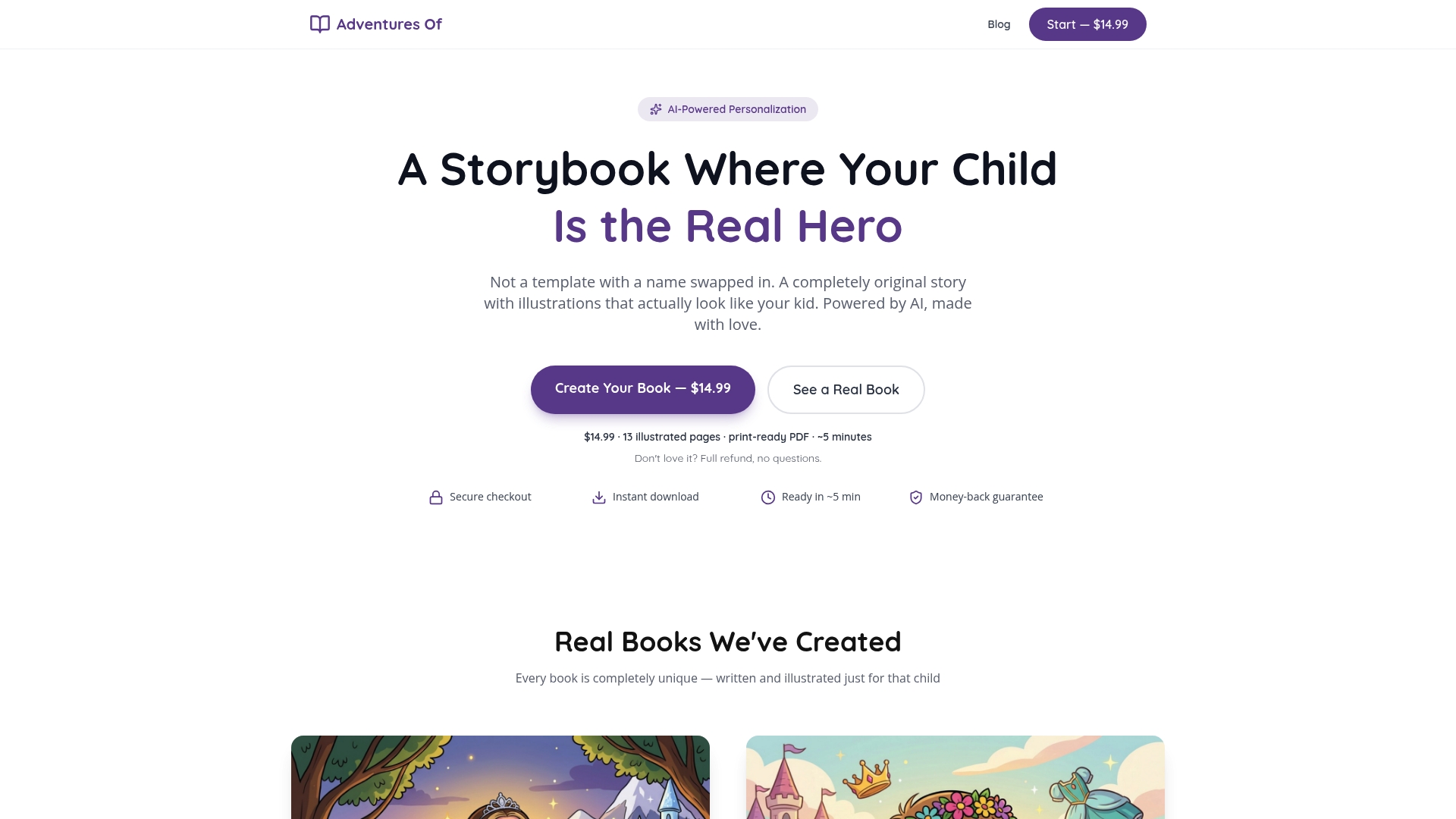
Adventuresofbook generates an original story and illustrations from a single uploaded photo, priced at $14.99 for the full 13-page, 8.5x8.5 print-ready PDF. No templates, no generic characters. The book is ready to download in about five minutes, which means you can order it the morning of a birthday and still deliver something genuinely personal. The 7-day refund policy covers the digital product, so there is no risk in trying it.
It is a one-child-per-book service, which is worth knowing upfront. If you need a story featuring siblings or a whole family, a different format may fit better. But for a single child, it is hard to match the combination of speed, originality, and price.
Start at adventuresofbook.com or go directly to the personalized children's books page to create your book now.
Useful sources
- Adventuresofbook personalized children's books — product page with PDF specs, pricing, and privacy details
- How to make a personalized children's book — step-by-step creation guide with photo tips
- Personalized books vs. template books — explains the difference between AI-original and template-based products
- Birthday gift books for kids — occasion-specific gifting page with delivery timing notes
- Bybird gift-link service — pay-if-accepted gift links for privacy-preserving remote delivery
- Amazon KDP eBook gifting — how to send digital books by recipient email address
- Apple gifting support — device-based gifting for books and media via Apple devices
- Posta24 book shipping — specialized book shipping with tracking and international customs handling
- Reading apps for families — read-aloud and family-sharing apps for remote shared reading sessions
FAQ
How do I send a digital personalized book to someone remotely?
Create the book on a platform like Adventuresofbook, choose the PDF or digital delivery option at checkout, and enter the recipient's email address. The book link or file arrives in their inbox immediately after purchase.
Can I send a personalized book from my iPad?
Yes. Apple's built-in gifting tools let you send digital books and media from an iPad via the Books app or App Store. For AI-personalized children's books, use the provider's mobile website through your iPad's browser and follow the same checkout steps.
How do I send a personalized book anonymously?
Use a gift-link service like Bybird, which lets the recipient accept the gift and enter their own address without the sender ever seeing it. Alternatively, omit your name from the gift message field at checkout on platforms that support anonymous sending.
How long does it take to receive a personalized book in the US?
Digital PDFs are available immediately after checkout. Printed softcover and hardcover books typically take 1–5 business days for production plus 3–7 business days for standard US shipping. Express options can reduce shipping to 1–2 business days.
What is the refund policy for Adventuresofbook?
Adventuresofbook offers a 7-day refund window on the digital product, priced at $14.99. The refund covers the AI-generated PDF, so you can request it within seven days of purchase if the book does not meet your expectations.