
AI customizes children's stories by adjusting vocabulary, sentence length, thematic scope, conflict intensity, narrative structure, illustration style, and interactive features to match a child's developmental stage. This is not name-swapping. It is a layered process where the model receives hard constraints about what a child at a given age can process emotionally and linguistically, then generates a story that fits those constraints from the ground up.
Here is what AI actually changes by age band:
- Language complexity: Word length, sentence structure, and reading level (Flesch-Kincaid grade target)
- Thematic scope: Simple cause-and-effect for toddlers versus moral ambiguity for preteens
- Conflict and stakes: No conflict requiring resolution for ages 3–5; protagonist agency and real consequences for ages 9–12
- Narrative structure: Linear, repetitive patterns for young children; multi-arc plots for older readers
- Illustration style: Bold, high-contrast, minimal-detail images for babies; richer, scene-layered art for school-age kids
- Interactivity: Tap-to-reveal for toddlers; branching choices and mini-games for older children
- Safety filters: Stricter moderation thresholds for younger age bands
TL;DR: If you are a parent or teacher who wants the quick version, AI changes six core story elements by age. The sections below break each one down with concrete examples, prompt templates you can copy, and a checklist for evaluating any tool you try.
Table of Contents
- How AI systems actually implement age-adaptive storytelling
- What the story actually looks like across age bands
- What research shows about learning gains from personalized stories
- Risks, failure modes, and how to keep AI storytime safe
- How to evaluate an AI story tool before you commit
- Copy-paste prompts and dos/don'ts for parents and teachers
- How Adventuresofbook implements age-adaptive stories responsibly
- Key Takeaways
- A parent-to-parent note on AI and storytime
- Adventuresofbook: a personalized book built around your child
- Useful sources
- FAQ
How AI systems actually implement age-adaptive storytelling
The output differences you see across age groups come from specific technical levers, not magic. Understanding them helps you know why one tool produces tighter grade-level control than another, and why generation time varies.
The main mechanisms are system prompts with hard constraints, lexical and readability conditioning, narrative planning, image conditioning for illustrations, memory-based personalization, and moderation passes.
The typical generation pipeline looks like this:
- System prompt + age-band constraints — the model receives hard rules before it writes a single word: maximum sentence length, banned vocabulary, conflict ceiling, and allowable themes.
- Generation pass — the model produces a draft story within those constraints.
- Moderation and validation — an automated check flags content that violates safety or age-appropriateness rules; the system silently regenerates if the check fails.
- Narration moderation — if the tool includes audio, a separate moderation pass runs on the narration script, since spoken content can carry tone and pacing that text checks miss.
- Delivery — the validated story, illustrations, and audio reach the parent or child.
Readability conditioning is where most tools struggle. Research on compact LLMs fine-tuned for children's stories shows that even state-of-the-art closed models frequently fail to strictly enforce early-grade readability without degrading narrative coherence. Hitting a Flesch-Kincaid Grade 1 target while keeping a story engaging is technically harder than it sounds. Supervised fine-tuning on age-specific corpora helps, but it is not a solved problem.
Image conditioning works differently. The model passes style parameters (line weight, color palette, level of scene complexity) to a text-to-image component alongside the story content. Cross-page visual consistency is a separate challenge: a survey of AI-generated storybook illustrations identifies six dimensions of coherence (character, spatial, temporal, event, stylistic, and thematic) that all need to hold across pages. Younger readers are more sensitive to character inconsistency because they rely on visual anchors to follow the story.
Pro Tip: When testing a new AI story tool, generate two stories back-to-back for the same child. Compare whether the main character looks the same on page 3 as on page 1. Visual drift across pages is one of the clearest signs of a weak illustration pipeline.
Personalization goes deeper than inserting a name. Well-designed systems store a child's interests, reading level, and previously observed preferences so each new story builds on what came before, creating a sense of continuity and agency for the child. That is a meaningful difference from a template book that swaps "Emma" for "Lily."
What the story actually looks like across age bands
Age bands matter because attention span, vocabulary size, and emotional resilience change fast in the first decade of life. A story calibrated for a 4-year-old will bore a 9-year-old and overwhelm a 2-year-old. Here is how AI-driven story adaptation plays out across four bands, with prompt templates you can copy directly.
Quick reference table
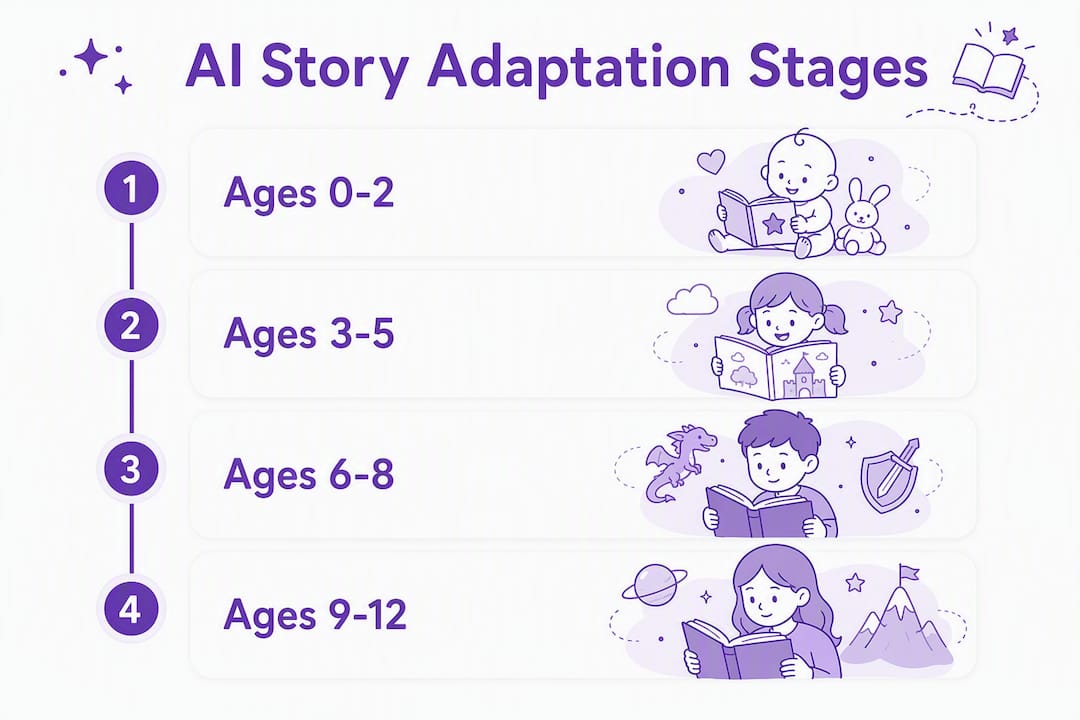
| Age band | Target length | Language level | Typical themes |
|---|---|---|---|
| 0–2 | 100 words | Single-syllable words, repetition | Familiar objects, animals, bedtime |
| 3–5 | 300 words | Short sentences, no conflict requiring resolution | Friendship, curiosity, simple emotions |
| 6–8 | 500 words | Compound sentences, light challenge | Problem-solving, fairness, small adventures |
| 9–12 | 700 words | Multi-clause sentences, protagonist agency | Identity, moral choices, consequence |
These word-count and conflict rules come directly from age-band system prompt specifications used by practitioners building children's AI apps.
Ages 0–2: sensory and repetitive
Stories for this band are less narrative and more rhythm. The AI targets single-syllable words, heavy repetition, and sensory language ("soft," "warm," "round"). Illustrations should be bold, high-contrast, and uncluttered. There is no plot arc, just a gentle loop.

Same premise, different ages: "The bunny hops. Hop, hop, hop. The bunny is soft."
Prompt template: "Write a 100-word bedtime story for a 1-year-old about a sleepy bunny. Use only single-syllable words. Repeat the main action three times. No conflict. Warm and calm tone."
Ages 3–5: simple cause and effect
Here the AI introduces a single problem with an easy resolution, usually within two or three story beats. Vocabulary expands to two-syllable words. Sentences stay short. Themes center on friendship, curiosity, and simple emotions. Illustration conditioning shifts toward character-focused scenes with expressive faces.
Same premise: "Mia the bunny wanted a friend. She hopped to the garden and found a frog. They played all afternoon."
Prompt template: "Write a 300-word story for a 4-year-old about a bunny who wants a friend. One simple problem, one simple solution. Sentences under 8 words. No scary moments. Friendly, warm tone."
Ages 6–8: light challenge and problem-solving
The AI can now introduce a real obstacle the protagonist must work through. Compound sentences appear. Vocabulary reaches a second-grade reading level. Themes expand to fairness, small adventures, and helping others. Research on narrative plus scaffolded AI interactions found that this age group benefits most from stories that pair a challenge with a mini-game or question prompt, producing stronger learning gains than instruction-only formats.
Same premise: "Mia the bunny lost her favorite carrot before the harvest festival. She had to ask three neighbors for help before she found it behind the old oak tree."
Prompt template: "Write a 500-word adventure story for a 7-year-old. The main character faces one clear obstacle and solves it through persistence and asking for help. Second-grade vocabulary. Light tension, happy resolution."
Ages 9–12: protagonist agency and moral complexity
This is where AI storytelling techniques can handle real stakes. The protagonist makes choices with consequences. Themes include identity, loyalty, and moral gray areas. Sentences are multi-clause. Suspense is a valid tool here. Research on iterative narrative planning with large language models shows that suspense can be engineered through information withholding and goal uncertainty, both of which are appropriate for this age band.
Same premise: "Mia discovered the carrot had been taken by a younger rabbit who was hungry. She had to decide whether to report it or share her own harvest instead."
Prompt template: "Write a 700-word story for a 10-year-old. The protagonist faces a moral dilemma with no easy answer. Third- to fourth-grade vocabulary. Build tension in the middle. End with a choice the character makes, not a tidy resolution."
Pro Tip: For ages 9–12, add a one-sentence constraint to your prompt: "Do not resolve the conflict for the character — let them make the final decision." This prevents the AI from defaulting to a tidy, age-younger ending.
What research shows about learning gains from personalized stories
The evidence for personalized AI stories is promising but still early-stage. The strongest finding comes from a controlled study of 57 children comparing a "Book+" condition (narrative story combined with scaffolded mini-games) against a game-only format. The Book+ group showed significantly larger learning gains and stronger emotional connections to the material. The narrative wrapper mattered.
Personalized stories that integrate images and narrative prompts can boost engagement and help children practice vocabulary and comprehension more quickly than static texts in some trials. Some sources report reading confidence boosts from personalized books in some trials, though this comes from blog-level synthesis rather than a single peer-reviewed study, so treat it as directional rather than definitive.
A few important caveats:
- Most studies use small samples and short intervention windows. Long-term effects on reading development are not yet well-documented.
- Engagement gains are easier to measure than comprehension gains. A child who enjoys a story is not automatically a better reader.
- The quality of the AI model matters enormously. A poorly calibrated tool can produce stories that are technically age-appropriate by word count but emotionally flat, which reduces the benefit.
- Bilingual picture-book trials show vocabulary acquisition benefits, but those gains depend on the story being genuinely engaging, not just correctly leveled.
The bottom line: personalized, age-calibrated stories are a real improvement over generic content. The research supports using them. But the tool's quality and the parent's involvement both shape the outcome.
Risks, failure modes, and how to keep AI storytime safe
The main risk areas are age-inappropriate conflict slipping through moderation, visual inconsistency across pages, culturally insensitive or biased content, and privacy practices that do not meet COPPA standards.
Safety checklist for any AI story tool:
- Does the tool have explicit age-band controls, not just a general "kids" setting?
- Is there a visible moderation pipeline, or does the tool deliver raw model output?
- Does onboarding require parental consent before creating a child profile? COPPA requires parental consent for children under 13, and any tool that skips this step is a red flag.
- Does the privacy policy specify how child photos and personal data are stored, used, and deleted?
- Can you edit the story before the child sees it?
- Does the tool handle cultural diversity in characters and settings, or does it default to a narrow demographic?
The most common failure mode is what developers call LLM drift: the model starts within the age-band constraints but gradually relaxes them as the story progresses, introducing vocabulary or conflict that exceeds the target level. Two-pass moderation (generate, then validate) catches most of this, but it is not perfect. A second common failure is illustration inconsistency, where the main character's appearance changes between pages. For young children especially, this breaks immersion and can confuse the story.
On the safety side, pediatricians and child development experts are clear that AI should not replace human storytelling. It should support and extend the parent-child reading experience, not substitute for it.
Pro Tip: Before making any AI-generated story a regular part of bedtime, read it yourself first. Then read it aloud with your child and watch their face. If they look confused, bored, or unsettled at any point, that is useful data. Adjust the age band or the prompt, or try a different tool.
For a deeper look at how AI illustrations are evaluated for child safety, the Adventuresofbook guide on AI art safety for kids covers the key considerations clearly.
How to evaluate an AI story tool before you commit
Prioritize explicit age controls, a visible moderation pipeline, clear privacy practices, and the ability to edit or review the story before your child sees it. Everything else is secondary.
Evaluation checklist:
- Age-band transparency: Does the tool show you exactly what rules apply at each age level, or is it a black box?
- Editability: Can you change the story after generation? This matters more than most parents realize.
- Moderation pipeline: Does the tool describe its safety architecture, or does it just say "safe for kids"?
- Data use and parental controls: Read the privacy page. Look for explicit COPPA compliance, data retention limits, and a clear policy on child photos.
- Visual consistency: Check whether character appearance holds across all pages, not just the cover.
- Evidence of pedagogical testing: Has the tool been tested with real children? Are there published results or educator endorsements?
- Price and turnaround: Instant generation is convenient, but faster tools sometimes skip moderation steps. Know the tradeoff.
Instant vs. moderated generation
| Feature | Instant generation | Moderated generation |
|---|---|---|
| Speed | Under 1 minute | 2–10 minutes |
| Safety guarantee | Weaker (single pass) | Stronger (two-pass) |
| Narrative coherence | Variable | More consistent |
| Best for | Exploration and drafts | Final, child-facing output |
Reading a privacy page does not need to be complicated. Look for three things: whether child data is sold to third parties (it should not be), whether photos are deleted after use or stored indefinitely, and whether a parent account gates all child-facing features. If any of these are unclear, contact the company before uploading your child's photo.
Copy-paste prompts and dos/don'ts for parents and teachers
Good prompts give the AI the constraints it needs to stay age-appropriate. Vague prompts invite drift. Here are templates organized by age and goal, followed by a short list of rules that apply across all of them.
Prompt templates by age and goal
Ages 0–2, bedtime calm: "Write a 100-word bedtime story for a 1-year-old. Use only single-syllable words. Repeat the main action three times. No conflict. Warm, slow, sleepy tone."
Ages 3–5, social-emotional learning: "Write a 300-word story for a 4-year-old about sharing. One character wants something another character has. They find a kind solution. Simple sentences. No scary moments."
Ages 3–5, vocabulary practice: "Write a 300-word story for a 5-year-old that introduces three new words: 'curious,' 'gentle,' and 'patient.' Use each word twice. Define each word through the character's actions, not a dictionary definition."
Ages 6–8, problem-solving: "Write a 500-word adventure for a 7-year-old. The main character has a problem they cannot solve alone. They ask two different helpers before finding the answer. Second-grade vocabulary. Light tension, warm ending."
Ages 6–8, cultural diversity: "Write a 450-word story for a 6-year-old set in a market in West Africa. The main character is a curious child who learns something surprising. Use sensory details. Respectful, specific, not generic."
Ages 9–12, moral dilemma: "Write a 700-word story for an 11-year-old. The protagonist discovers a friend has done something wrong. They must decide whether to tell an adult or handle it themselves. No easy answer. Fourth-grade vocabulary."
Ages 9–12, identity and belonging: "Write a 650-word story for a 10-year-old who feels different from their classmates. The story should not resolve the feeling completely. End with the character finding one small moment of connection."
Dos and don'ts for prompt construction
- Do set a hard word count. "Around 300 words" gives the model room to drift. "Exactly 300 words" does not.
- Do name the conflict ceiling explicitly: "no conflict requiring resolution" or "one clear obstacle, resolved by the end."
- Do specify vocabulary level by grade or reading age, not just "simple."
- Don't leave the theme open-ended. "Write a story about a child" will produce something generic. "Write a story about a child who is afraid of the dark but wants to be brave" gives the model a direction.
- Don't skip the tone instruction. "Warm and calm" versus "exciting and fast-paced" produces very different outputs even with identical age constraints.
- Do test the output with your child before using it regularly. Prompts that look right on paper sometimes produce stories that feel off in practice.
For a practical walkthrough of the full creation process, the Adventuresofbook guide on making a personalized children's book covers iteration and quality-checking in plain terms.
How Adventuresofbook implements age-adaptive stories responsibly
Adventuresofbook applies age-aware prompt layers, photo-based illustration conditioning, and parental consent gating to produce single-child personalized books. This is a concrete example of the principles covered in this guide, not a theoretical one.
Here is how the product maps to the evaluation criteria above:
- One child per book: The system is built around a single child's photo, name, age, and interests. There is no multi-child template logic.
- Age-tagged prompt layers: The child's age is used to set vocabulary targets, conflict ceiling, and narrative arc length, not just to pick a cover design.
- Photo-based illustration conditioning: Illustrations are generated from the uploaded photo, so the child's likeness appears consistently across pages rather than a generic cartoon character.
- Two-pass generation with moderation: Stories go through a generation pass and a moderation check before delivery, which is why the process takes approximately five minutes rather than seconds.
- Privacy and consent gating: Parental consent is required before any child data or photos are processed. The privacy policy addresses data retention and photo use directly.
- 7-day refund policy: If the story does not meet your expectations, you can request a refund within seven days.
For parents who want to understand the illustration pipeline in more detail, the Adventuresofbook post on how AI illustration works explains the process without technical jargon.
The personalized children's books page shows the full product range, and the custom baby books page covers the youngest age band specifically.
Key Takeaways
AI adapts stories for different ages by encoding hard constraints on vocabulary, conflict, length, and illustration style into the generation process, and the quality of those constraints determines whether the output is genuinely age-appropriate or just superficially safe.
| Point | Details |
|---|---|
| Age bands drive hard constraints | Word count, conflict ceiling, and vocabulary level are set as rules before generation, not applied afterward. |
| Readability control is technically hard | Even strong models struggle to enforce strict early-grade readability without losing narrative coherence. |
| Personalization beats name-swapping | Effective AI uses a child's age, interests, and reading level to shape the whole story, not just insert their name. |
| Safety requires two-pass moderation | A generation pass followed by a separate moderation check is the standard for child-safe output. |
| Adventuresofbook fits the criteria | One child per book, photo-based illustrations, age-tagged prompts, parental consent gating, and a 7-day refund at $14.99. |
A parent-to-parent note on AI and storytime
AI is a tool for making stories more personal and more calibrated to your child. It is not a replacement for reading together.
The most useful habit we have seen is co-creation: sit with your child, tell the AI something specific about them (their favorite animal, a recent adventure, a fear they are working through), and then read the result together. The story becomes a conversation starter, not just content to consume. If something in the story feels wrong, that is worth talking about. If something resonates, follow it. The AI gives you a starting point; the reading time is still yours.
Test stories before they become routine. Read them yourself first. Watch your child's reactions. Iterate on the prompt when the output feels flat or off-target. The tools are good enough to be genuinely useful, and honest enough to require your judgment alongside them.
Adventuresofbook: a personalized book built around your child
Most AI story tools produce content calibrated for a generic child at a given age. Adventuresofbook builds a story around one specific child: their face, their name, their interests, and their age, all shaping the narrative from the first page.
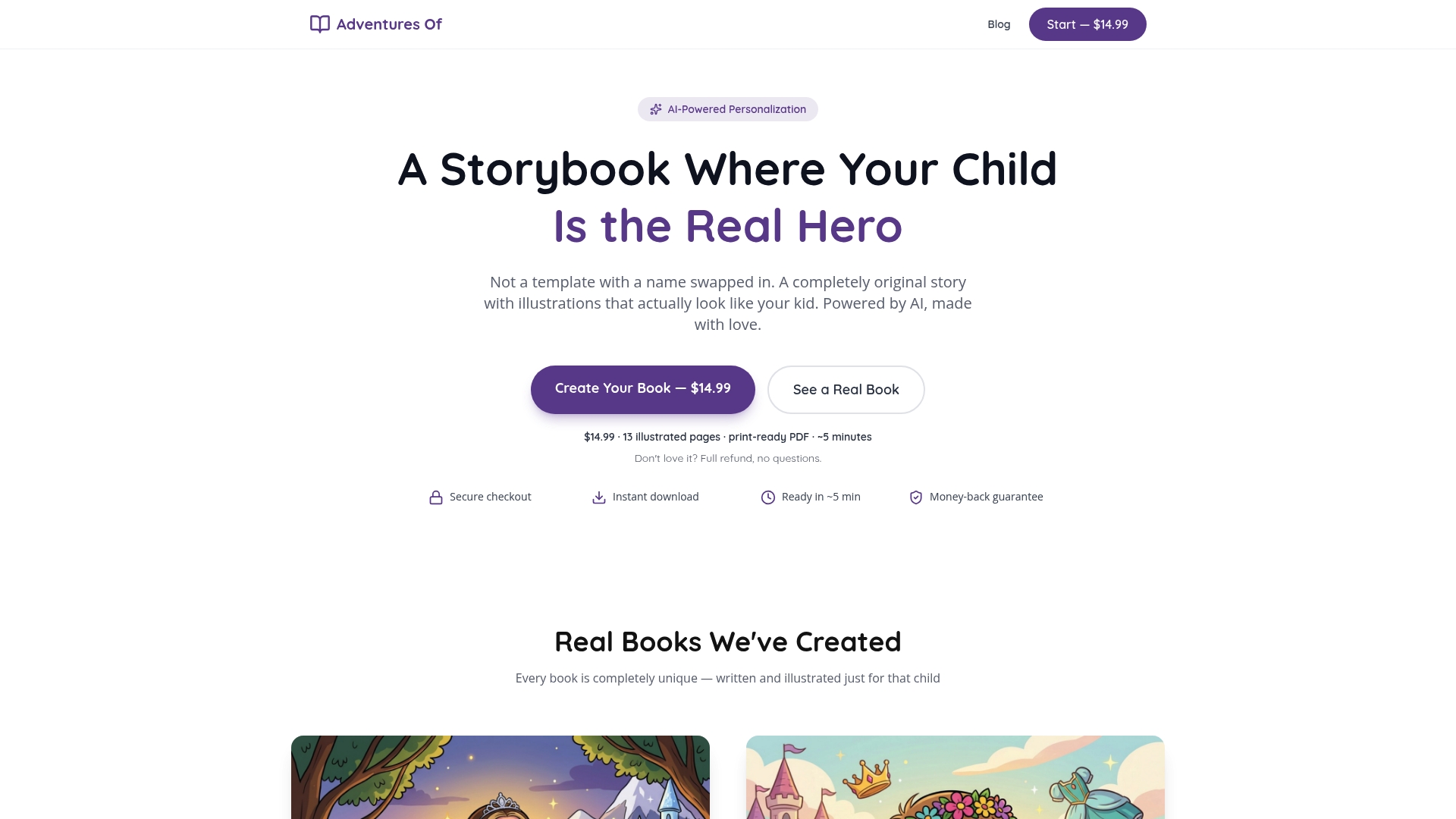
The product facts are straightforward:
- Price: $14.99, one-time
- Pages: 13 illustrated pages
- Format: 8.5x8.5 print-ready PDF, instantly downloadable
- Generation time: approximately 5 minutes
- Refund: 7-day money-back guarantee
- Illustrations: generated from your uploaded child photo, not a stock character
This fits best when you want a single-child personalized gift that goes beyond a name on a template, or when you want a classroom exemplar of what age-calibrated, photo-illustrated AI storytelling actually looks like in practice. You can start creating a personalized book in the time it takes to read this article.
Useful sources
- Once Upon AI Time: Combining Narrative and Games for Early AI Literacy (ACM) — Controlled study of 57 children showing that narrative context plus scaffolded AI interactions produces stronger learning gains than game-only formats; the strongest direct evidence for age-calibrated story design.
- Children's English Reading Story Generation via Supervised Fine-Tuning of Compact LLMs (arXiv) — Technical paper explaining how fine-tuning smaller models can achieve K–2 readability and safety, and why strict grade-level control remains difficult even for large models.
- Narratology Meets Text-to-Image: A Survey of Consistency in AI-Generated Storybook Illustrations (Artificial Intelligence Review) — Identifies six dimensions of cross-page visual coherence and explains why illustration consistency matters more for younger readers.
- Building AI for Kids: A Developer's Guide to Age-Appropriate Safety Architecture (Sipoch) — Practitioner guide with concrete age-band rules (word counts, conflict ceilings) and COPPA compliance guidance for onboarding flows.
- Creating Suspenseful Stories: Iterative Planning with Large Language Models (arXiv) — Explains how narrative planning techniques can engineer suspense, relevant for understanding what AI can do at the 9–12 age band.
- Multimodal Large Language Models vs. Human Authors: A Comparative Study of Chinese Fairy Tales for Young Children (MDPI) — Comparative study on how AI and human authors differ in producing age-appropriate fairy tales; useful for understanding quality benchmarks.
- AI Children's Books (Mother Jones) — Covers pediatrician and child development expert perspectives on AI's role in children's reading; a grounding counterpoint to purely technical coverage.
- Children's Media Consumption Trends Parents Need to Know — Partner resource covering how children engage with digital media across age groups, useful context for understanding where AI stories fit in broader media habits.
FAQ
How does AI change story language for different ages?
AI uses hard constraints in its system prompt to cap sentence length, vocabulary complexity, and reading level for each age band. A story for a 4-year-old targets sentences under 8 words and avoids multi-syllable vocabulary; a story for a 10-year-old uses multi-clause sentences and fourth-grade vocabulary.
How is AI changing storytelling for children?
AI moves personalization beyond name-swapping by using a child's age, interests, and reading level to shape the entire narrative arc, conflict level, and illustration style. Research on narrative-plus-game formats shows this approach produces measurable learning gains compared to generic content.
Why does strict grade-level control remain difficult for AI?
Even well-designed models struggle to enforce early-grade readability without degrading narrative coherence. Studies on fine-tuned compact LLMs show that supervised fine-tuning on age-specific corpora helps close this gap, but it requires deliberate model training, not just a prompt instruction.
Does AI storytelling replace reading with a child?
No. Pediatricians and child development experts are consistent that AI should support the parent-child reading experience, not substitute for it. The story is a starting point; the conversation and shared reading time remain the most valuable part.
What should I check before using an AI story tool with my child?
Look for explicit age-band controls, a two-pass moderation pipeline, COPPA-compliant parental consent gating, a clear policy on how child photos are stored and deleted, and the ability to review the story yourself before your child reads it.