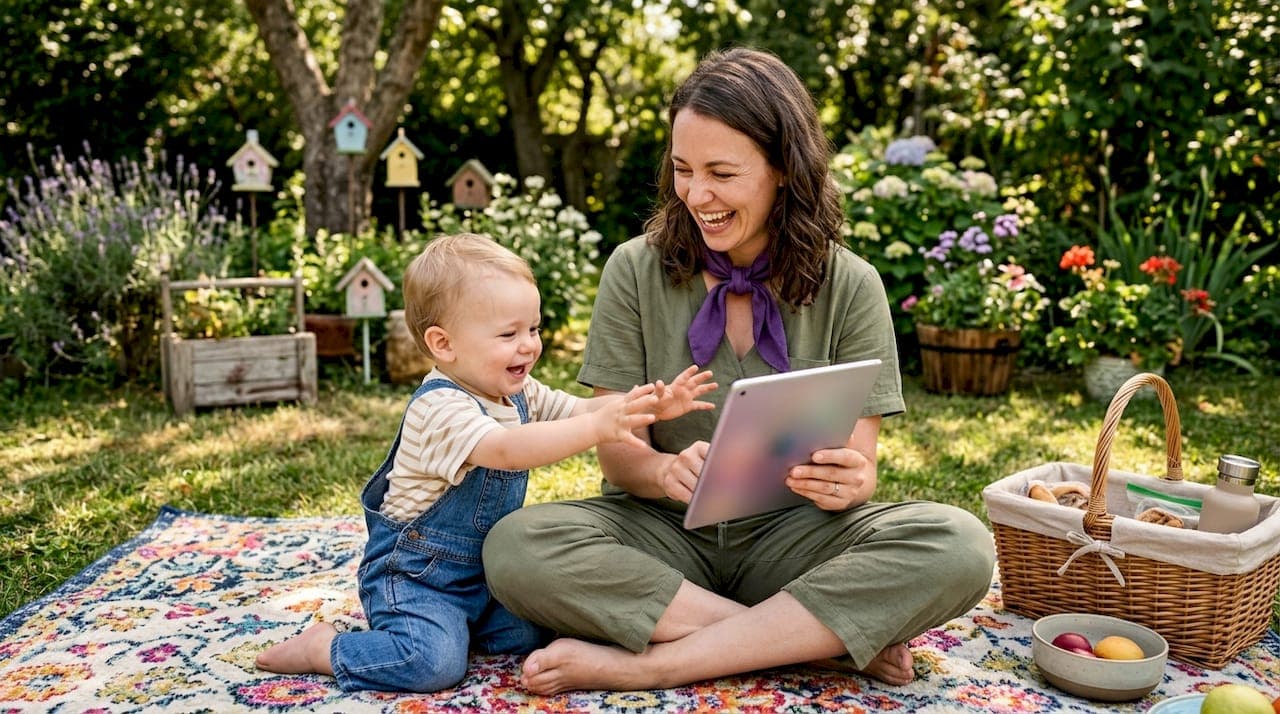
Digital download picture books are electronic versions of traditional picture books that you read on a tablet, smartphone, or computer, often with added narration, animations, and personalization features. The industry term for these is "enhanced eBooks" or "interactive digital picture books," though parents and educators commonly search for them as digital download children's books. Explaining digital download picture books to someone new to the format is straightforward: they carry the same story and illustrations as a print book, but the file lives on your device and can include features that a printed page simply cannot. The Raising Children Network confirms that interactive features support literacy when they enhance the story rather than compete with it.
What are digital download picture books and how do they work?
A digital download picture book is a file, usually a PDF, ePub, or app-based format, that you purchase or borrow and then open on a device. Unlike streaming a video, a downloaded file stays on your device and works without an internet connection. That distinction matters for families who travel or have unreliable Wi-Fi.
The best digital picture books preserve everything that makes print books great: strong narrative, expressive illustration, and age-appropriate language. What they add on top is where the format gets interesting. Annotations, audio narration, and animations can all be layered into the reading experience, and customization options let creators align the story with a specific child's name, interests, or even physical likeness.

Basic eBooks display static text and images, much like a scanned print book. Enhanced digital picture books go further, adding word highlighting, sound effects, and clickable elements. The gap between these two categories is wide, and knowing which type you are buying saves a lot of frustration.
What features define digital picture books and why they matter
The single most useful feature in a digital picture book is togglable read-aloud narration. The Raising Children Network recommends a read-only mode so parents can turn narration off and read together without the device talking over them. That toggle shifts the experience from passive listening to active shared reading, which is where the real literacy gains happen.
Beyond narration, the features worth looking for include:
- Word highlighting during narration. This connects spoken words to printed text, reinforcing phonics and word recognition for early readers.
- Contextual animations. A leaf falling when the story mentions autumn adds meaning. A random bouncing ball that appears mid-sentence pulls attention away from the story. Good design keeps animations tied to the narrative.
- Simple, child-friendly navigation. Large tap targets, clear page turns, and no buried menus keep a four-year-old from accidentally closing the book.
- Accessibility options. Font size adjustment and contrast settings matter for children with visual differences or learning needs.
- Customization fields. The ability to insert a child's name, interests, or photo transforms a generic story into something that feels written specifically for them.
The difference between a basic eBook and an enriched digital picture book shows up most clearly in how a child responds after the first page. A well-designed interactive book keeps a child leaning forward. A poorly designed one has them tapping every corner of the screen looking for something to do.
Pro Tip: Before buying, check whether the book has a "read to me" and a "read alone" mode. If it only offers one, it limits how you can use it with your child over time.
How to download and use digital picture books with children
Getting a digital picture book onto your device takes five minutes once you know the process. Here is a practical sequence that works for most families:
- Choose your source. Libraries are the most underrated option. Platforms like Hoopla and TumbleBookLibrary offer free access with a library card, giving you access to large curated collections at no cost. Paid platforms and individual creators offer titles you will not find through a library.
- Check device compatibility. Tablets support the richest interactive experiences. The Raising Children Network notes that tablets allow swiping, tapping, and app-based interactions that eReaders like Kindle or Kobo cannot match, since those devices display primarily in black and white with limited interactivity.
- Download, do not just stream. A downloaded file works offline and loads faster. For PDF-format books, save the file to a folder your child can find easily.
- Set up the reading environment. Prop the tablet at a comfortable angle for both of you. Turn off notifications before you start.
- Co-read actively. Turn narration off for at least part of the session. Ask open-ended questions tied to the story. The Raising Children Network suggests asking something like "Why do you think there's happy music?" to connect interactive features to narrative understanding rather than just device play.
- Watch the clock. Screen time guidelines from pediatric health organizations still apply. A digital picture book session of 15–20 minutes with an adult present is very different from solo screen time.
Parental controls matter here too. Most tablets let you lock a specific app so a child cannot navigate away mid-story. Apple's Guided Access and Android's screen pinning both do this in under a minute.
Pro Tip: If your child keeps tapping the screen looking for hidden interactions, try a PDF-format book with no embedded features. Sometimes a clean, static digital file reads more like a real book and holds attention better.
Benefits of digital picture books compared to print
Digital picture books carry real advantages over print, and a few genuine trade-offs worth knowing.
What digital does better
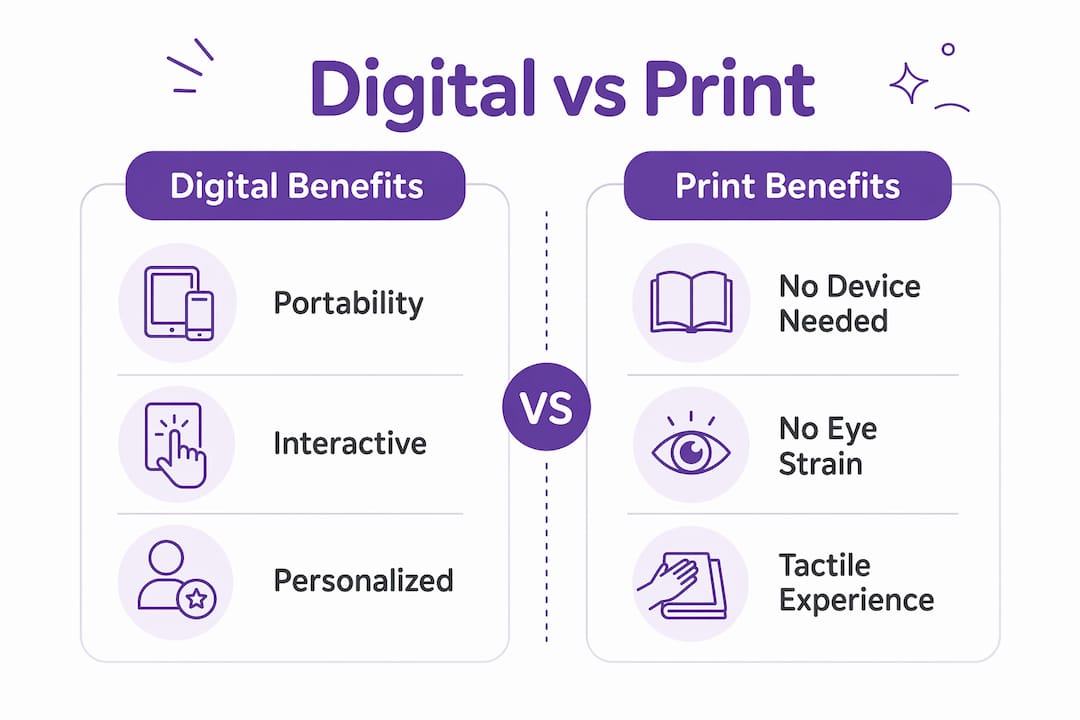
Portability is the most obvious win. Hundreds of titles on one tablet beats a bag full of board books on a long flight. Digital formats also eliminate shipping costs and reduce paper waste, which matters to families thinking about environmental impact. Personalization is another area where digital formats have no print equivalent at the same price point. A story that uses your child's actual name, reflects their interests, and features illustrations that look like them is simply not possible with a mass-produced print book.
Where print still wins
Print books do not require a charged device, do not have notification pop-ups, and do not cause eye strain during long sessions. Screen fatigue is real, especially for children under five. A child who reads for an hour on a tablet will feel it differently than one who reads the same book in print. Print also tends to produce fewer distractions. There is no temptation to switch apps mid-story.
How to choose the best digital picture book for your child
Use these criteria when evaluating any title:
- Narrative strength. Does the story hold up if you remove all the interactive features? A good story works in any format.
- Age-appropriate content and language. Check the recommended age range and read a sample page before buying.
- Design quality. Clear illustrations, readable fonts, and logical page flow signal a well-made book.
- Interactive feature quality. Features should connect to the story, not exist for their own sake.
- Personalization depth. Name insertion is basic. Photo-based illustration is a much higher level of customization. Understanding the difference between personalized and template books helps you set the right expectations before you buy.
Creating personalized digital picture books and what is coming next
The most significant shift in digital picture books over the past two years is AI-assisted personalization. Parents can now upload a photo of their child and receive a story with illustrations that actually resemble that child, not a generic cartoon with a name swapped in. Customizing storybooks with a child's name and interests creates a more engaging reading experience and builds habits that carry into independent reading.
Key trends shaping digital picture books right now:
- Photo-based illustration generation. AI tools analyze uploaded photos and produce consistent character illustrations across multiple pages.
- Original story generation. Rather than filling a template, AI writes a new story from scratch based on the child's details. The result is a genuinely unique narrative.
- Print-ready PDF output. Many digital downloads are formatted for home or professional printing. Getting this right requires proper bleed and margin settings. Adobe InDesign offers precise control for creators who want professional print quality, though consumer-facing platforms handle this automatically.
- Multimedia enrichment. Embedded audio, animated page turns, and read-aloud tracks are becoming standard in premium digital titles.
- Parent-child co-creation tools. Some platforms let parents contribute story details, making the creation process itself a bonding activity.
"A story that puts your child at the center does more than entertain. It tells them their life is worth telling stories about."
Adventuresofbook is one platform that takes this approach seriously. It generates an original story and original illustrations from a single uploaded photo, producing a 13-page, 8.5x8.5 print-ready PDF in about five minutes. The story is not a template with a name inserted. It is written specifically for that child. Parents who want to understand how the creation process works will find it faster than most expect.
Key takeaways
Digital download picture books work best when interactive features support the story, an adult reads alongside the child, and the content connects to that specific child's world.
| Point | Details |
|---|---|
| Toggle narration for co-reading | Turn off read-aloud to read together actively, which builds stronger literacy outcomes. |
| Tablets outperform eReaders | Tablets support interactive features, color, and app-based experiences that eReaders cannot match. |
| Personalization increases engagement | Stories featuring a child's name, interests, and likeness motivate reading more than generic titles. |
| Print-ready PDFs bridge digital and physical | A well-formatted digital download can become a physical keepsake with the right print settings. |
| Adult involvement is the key variable | Digital books extend co-reading experiences. They do not replace the adult in the room. |
What I actually think about digital picture books
The framing of "digital vs. print" misses the real question, which is whether the book is any good and whether an adult is present. I have seen children completely absorbed by a simple PDF on a tablet and completely checked out from a print book that did not interest them. The format is not the deciding factor.
What I find genuinely interesting about the current moment is the personalization piece. A child who sees themselves in a story responds differently. Not just more engaged, but more confident. There is something about being the main character that shifts how a child relates to reading as an activity. Generic template books do this at a surface level. A book with actual illustrations that look like your kid does it at a different level entirely.
My practical advice: start with your library's digital collection to understand what your child responds to. Notice whether they want you to read or whether they want the device to read. That preference tells you a lot about which format and features will work best. Then, once you know what clicks, consider a personalized option for a book they will actually want to keep.
The parents I have talked to who are most satisfied with digital picture books are the ones who treat the device as a prop, not the point. The story is the point. The child is the point.
— Jason
Adventuresofbook: a personalized digital picture book for your child
If you have been reading about digital picture books and thinking "I want something made specifically for my kid," Adventuresofbook is worth a look.
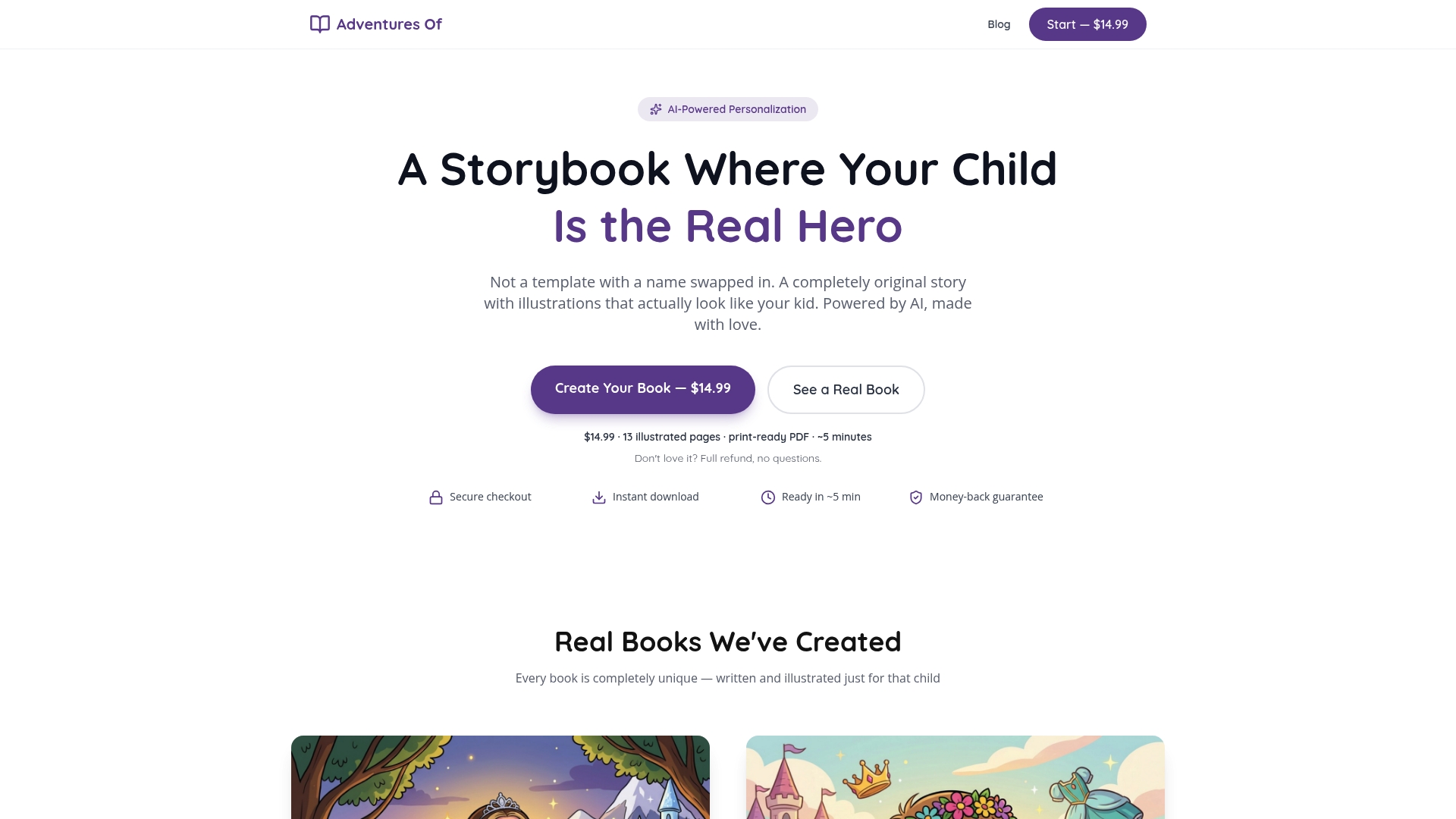
Adventuresofbook uses AI to write an original story and generate illustrations based on photos you upload of your child. The result is a 13-page, 8.5x8.5 print-ready PDF that you can download immediately or print into a physical book. There are no templates and no generic characters. Every story is written from scratch for one child. The process takes about five minutes, costs $14.99, and comes with a 7-day refund policy. You can see what a personalized children's book looks like before you commit. For parents who want to make something that genuinely stars their kid, it is a direct path from idea to finished book.
FAQ
What is a digital download picture book?
A digital download picture book is an electronic file, typically a PDF or ePub, containing a children's story with illustrations that you save to a device and read on a tablet, smartphone, or computer.
Are digital picture books good for young children?
The Raising Children Network confirms that digital picture books support early literacy when an adult co-reads and interactive features connect to the story rather than distract from it.
Where can I find free digital picture books for kids?
Libraries offer free access through platforms like Hoopla and TumbleBookLibrary using a library card, providing large collections of digital children's books at no cost.
What device is best for reading digital picture books?
Tablets are the best choice for interactive digital picture books because they support color, touch interactions, and app-based features that eReaders cannot provide.
How is a personalized digital picture book different from a regular one?
A personalized digital picture book features a story and illustrations created specifically for one child, using their name, interests, and sometimes their actual photo, rather than a generic character with a name inserted.
Recommended
- How to Make a Personalized Children's Book (Without Losing a Saturday) | Adventures Of
- Custom Baby Books — First Adventure Starring Your Little One | Adventures Of
- Christmas Gifts for Kids — Personalized Storybook Under the Tree | Adventures Of
- Birthday Gift Books for Kids — Custom Storybook Gifts | Adventures Of